Tuesday, 18 December 2007

New browser


yeah, so i've kind of been struggling to stick to the size limit for images on my page, and then i created an image that really looks crap too sized down because you cant read the writing. SO i learned how to make a pop up window with a bigger image on.
I have set it so that when the thumb is clicked on it comes up in the main window, but when it is double clicked on it comes up much larger in a scrollable new window!
I think this works better because it shows my images at full size but it also doesn't ruin the general layout.
Make a new page with the larger image on. Select the thumbnail, click on behaviours, pick 'open new browser' then select it to go to the right page, and define the size of the window and make it scrollable so its easier to use and dah dahhh!
I had it so that is doesnt take up a whole new page because that would be annoying.

Thursday, 13 December 2007

Poorly.

Hello, i'm off ill today, don't want to be coughing over everyone!


Anyway, I'm in bed and I have just managed to get my website up!


http://www.eleanorwoodburn.co.uk/


I have noticed though that on my bt browser on the ABOUT and FILMS section th

Changes

So I sorted a few hitches out on my pages, one issue was continuity, for some reason on some pages the left navigationmargin appeared in a different place to the others, so they are all constant now.

The 'ABOUT' part of the navigation also seemed to have a bigger space between it and 'news' than any of the other words had, so I have made that an equal distance apart.

For continuity I decided it would be better if i could keep as many things constant as possible, so i positioned the videos and the news box so they started in the same corner as the photographs. I did the same with the arrow and the butterfly.


I made the background to the scrollbox the same as the colour that is in my logo so it fits in better. I also made it the same size as the photographs so there is even more continuity. It doesn't scroll at the moment, but this is only from lack of text!

Another Idea was to have some boxes in place of photos on some of the pages, because the pages looked better when they were fuller. so the little boxes are the same size as the thumbnails and in the same position, it is just a design feature, but i think it places the page better and gives a nice outline to the structure.


Wednesday, 12 December 2007

how to link video to my site

how to make thumbnails click

how to link blog to site

AHHH! New site . . .


This is how my site is looking at the moment. A LOT of work and my back aches. Basically I haven't activated any of the links yet and the picture doesn't change yet but it will happen! I am going to keep all the pages that size, because it seems to be the kind of size most websites are going for now so yeah, now the basic layout is done, i guess i'll have try remember the tricks for changing.
Also, in my last site my picture just changed on rollover, apparently this is annoying because it changes after, so I'm going to make the pictures clickable, so the main pic stays on that until another is clicked!

scroll box.

I worked out how to get a scrollbar onto my news section of my website.
I stole the code off another site after a lengthy search for current websites with a scrolling section.
I took the code and inserted it into the coding for my news section. It is a frame so basically all the information inside it is linked from another page, a page of just writing. This will be uploaded as well, but wont be seen on its own on my site. As it works out i think this will make it easier to update!

create a gallery

I have created a gallery to show my images. Firstly i had to resize all the images i wanted to use to a constant size in photoshop, then i made thumbnails of all of these images once again in photoshop.

In dreamweaver I clicked LAYOUT the pressed the insert image button and located a BIG image and clicked ok.
When i click on my image at the bottom left comes up an area where i can give the image a name, so i did because it makes it easier.
Then I did the same with all of my thumbnail images and inserted them in rows at the side of my big image.
Once i had all my thumbnails laid out i went to WINDOW then BEHAVIOURS then SWAP IMAGE, here i chose the big image in the window then BROWSE and found the bigger image of the thumbnail then OK.
I did this for all the thumbnails.

I asked Rob for some help to make the big image change on clicks rather than rollover, he told me to go to BEHAVIOURS and where they were listed i changed 'on mouse over' and 'on mouse out' to 'on click' then 'on dblclick'
This means my image will appear when i click on the thumbnails and disappear when double clicked.

I clicked 'view' then 'view source' on the polygon show website
simply because it is a nice site, then i transferred this source into dreamweaver to see how it had been created and how it works.
It is a simple tabular structured site with a jpeg logo, the font is impressum size 11 which is similar to georgia, i can also see the outside links made.
from the code
and Matt Robinson.

i can see that the name 'matt robinson' has been linked to their personal webpage, however it lookes the same as the other text on the page so unless you rollover it and notice the cursor changing you wouldn't know!

How to create CSS styles.

CSS styles are an easy way to keep particular text the same throughout your website, also it makes altering text quicker and you can be more specific with the aesthetic.

Go to TEXT then CSS then NEW, a box will come up give the style a name and decide where to save it, save it where all your internet files are otherwise it wont work on your web.

Here you can alter a number of properties of your page. You can change fonts, their weight, their style and link style. When your done press APPLY and OK.

When you want to use this specific style for text you can select the text you have inserted then at the bottom on STYLE select the name of the style sheet you made and it will insert the coding at the top.

Links

you can make links to other pages by clicking on the text or image then when the window appears at the bottom, choose the folder button in the 'links' area and find the html file of the next page.

I set my page properties to change and keep the appearance of all my links constant. go to MODIFY then PAGE properties then LINKS then you can change the font of the links, the colour as they are rollover(ed) and clicked on etc.
Then each time you make text into a link it will take on this characteristic.

Tuesday, 11 December 2007

videos!

I'm struggling to remember how to post videos from youtube on my site. I've done it before but I can't work it out and I've looked for tutorials to no avail! anyway I will have to ask this on wednesday.

Navigation.


This is the basic navigation diagram of my site and what I want it to navigate like. Generally i like it when most pages link to each other on a site, so i think it should work pretty well with having the navigation bar to the left that remains the same

css codes

learning some css codes. so i'm going to have a go with them tomorrow.
if i have them saved i can then just go to CSS in the window then STYLE then LINK to find it, then i can change the properties there or in the code at the top.

Some website ideas!


So I want my site to be really clean and simple with limited colours and decoration. I do however, want a nice logo that does employ colour to create the aethetic and style theme. I want to use a simple non serif thin font, such as arial or tahoma.
I started creating my logo using a filled in rectangle with my name inside. I quite liked this but found the colours to be too heavy also when I previewed it in my browser, then from looking at other sites I prefered the use of circular logos as they made the sites look less structural and more playful. So i experimented with some circular images. I drew some spiral pictures, scanned them in, then on illustrator I converted them to vectors and then added colour and text.
As I work a lot with varied papers and collage, I scanned in some of the paper i use and using photoshop i cut a circle out, I then scanned in a found letter E and in illustrator i converted it into a vector and placed it on top of my circle. This is the final icon for my website.

How to create a hotspots in dreamweaver.

Go to LAYOUT the create a LAYOUT BOX, go to INSERT then choose and image. Once the image is inserted click on it and at the bottom a window will appear with cyan shapes in, click on one of these and draw a shape (that suits it best) over the image you inserted. When this is done go to TARGET and choose where you want this HOTSPOT to link to, i.e. another page!
there you go.

Monday, 10 December 2007

you can get guestbooks and webcounters and other tools from here:
http://resources.bravenet.com/downloads
I was going to make a guestbook, but i think it hosts it outside of your actual site so i dont know if i cam going to bother.
i like the idea of it though so i may have a look for something similar!

free hit counter

I found this free visitor counter to add to my page, it is invisible but will help me track visitors and see how much my site is being used.

http://www.webcounter.com/

Sound in website


I found a tutorial on how to place sound in the website.

Some more sites


I think that this site is far too blog like. It's too 'listy' at the left hand margin, too much information. There are too many images piled up together and what is REALLY distracting is the flourescent circular spots on the corners of the images! they totally detract away from the pictures. The colour in it's use as text is really illegible! it hurts to look at, as a basic structure of a site I think it works just get rid of the hideous green!

This website is really simple, dividing up the different projects by the horizontal line. There's limited text and a plain crisp background. The photographs use so many colours that the use of colour on the page in limited to monotone, which i think was a good decision. The photos speak for themselves, the page looks really professional. The only thing I think they could change is the amount of scrolling that occurs, perhaps when it got to a certain point they should have created new pages for new projects, and for thumbnails they are perhaps tad too big.
This page is again simple, with a left hand margin navigation bar that stays in place throughout the whole site. I think this works well and makes navigation of this site really simple. The colours are muted and compliment the photography, the only problem i have with it is the scrolling thumbnails, they are hard to control using a mouse an frequently move too fast. A simple row of thumbnails that stay still would've been preferable.

Animated Gifs in Photoshop

Photoshop
NEW DOCUMENT - 72dpi
Background - transparent
go to WINDOW then ANIMATION
ELLIPTICAL MARQUEE TOOL
draw an circle, fill with paint bucket
go to LAYER then NEW
LAYER then OPACITY alter opacity level on each layer
On the animation window can alter speed.

A simple animated gif!

I think I might create one for my splash page!

Root folder

Need to set up a root folder to store all my web files.
Without this my site wont recognise the link and objects wont be able to appear on my site.

I am going to keep my root folder on my memory stick so that I can keep it with me and use it at home and college.

There needs to be a seperate folder for my images within my root folder, so they are kept all together and recognised, unless they are kept on the web, then this can be linked directly from their server using the url.

Saving images for web

Images for the web need to be saved as:
72 gpi
rgb colour
and a jpeg.

In photoshop, open image for web then:
go to FILE then SAVE TO WEB
here can change format
Gifs are better for 2 colour text images, jpegs better for photos.
2 up shows changed image and original.
We are changing the file size, at the bottom it shows this and shows how fast it will load.
Need to get the smallest file size with the optimised quality.

Next to colour box there is a tag for the image size. Here you can alter image size.
Should only decrease size on here, not increase as will loose quality.

When done this press SAVE
when naming keep simple, don't use uppercase or spaces.
SAVE in images file.

CRITIQUE OF SOME SITES


I LIKE THIS SITE, BUT I FEEL IF IT WERE MINE I WOULD BECOME TIRED OF IT VERY QUICKLY. THERE IS TOO MUCH INFORMATION TO LOOK AT ON ONE PAGE, TOO MUCH TEXT SQUISHED TO THE SIDE AND IT SEEMS TO SCROLL FOREVER!


THIS SITE IS CLEAN BUT INTERESTING AND PLAYFUL AT THE SAME TIME. I LIKE THE STRAIGHTFORWARD LAYOUT, WITH THE NAVIGATION BAR TO THE LEFT HAND MARGIN. I LIKE THE COLOURS USED AND THE NICE GRAPHIC TOUGH OF AN ACCENT COLOUR. IT IS QUICK TO WORK AND ALLOWS HIS IMAGERY TO DO THE TALKING. THE ONLY PROBLEM I HAVE WITH THIS SITE IS THE EXTENT TO WHICH SOME OF THE PAGES SCROLL. I'D PREFER MY SITE TO STAY IN ONE PLACE WITH AS LITTLE SCROLLING AS POSSIBLE AND IF IT IS NEEDED JUST TO SCROLL VERTICALLY.


THIS SITE IS REALLY SIMPLE, WITH LIMITED TEXT AND ONE IMAGE AND A SIMPLE BACKGROUND. WHEN YOU HOVER OVER THE TEXT IT IS HIGHLIGHTED WHICH IS GOOD TO KNOW WHERE ABOUTS YOU ARE AND HOW IT WORKS AND NAVIGATES.


I LIKE THE DESIGN OF THIS SITE, JUST NOT THE FLASH. I FIND THE FLASH POINTLESS, ALTHOUGH IT LOOKS NICE AS PART OF THE WEBSITE, IT TAKES TOO LONG TO LOAD AND ALL IT SHOWS IS THE TITLE. I DO HOWEVER LIKE THE WAY THEY ALLOW YOU TO LOOK AT IMAGES, HAVING THE THUMBNAILS WHICH YOU CLICK ON RATHER THAN HOVER OVER.

Sizing files together in PhotoShop

Firstly you need all your files in one place,
open up the first image and go to WINDOW then ACTIONS
when the actions window is up CREATE A NEW LAYER
give it a name then press RECORD
go to IMAGE the IMAGE SIZE and put in the dimensions
when done changing the image press STOP
then go to FILE then AUTOMATE then BATCH
choose the SOURCE FOLDER where the images are
choose the DESTINATION folder for the changed images
tick the OVVERIDE SAVE AS box
give it a NEW NAME
then OK it!

:) thanks rob and liz.

coding refresher

We have created a simple website page using textedit.
using simple html coding, we can create a basic page, and refresh my knowledge of codes.
html
head
title
webdesign2
/title
/head
body bgcolor=#
font face="verdana"
/font
br
/body
p
whats on the screen
/p
/html

all codes need to be incased in <> and when the codes are closed they need to end in /
all html colour have a code
br creates space on the page, basically a return in the text

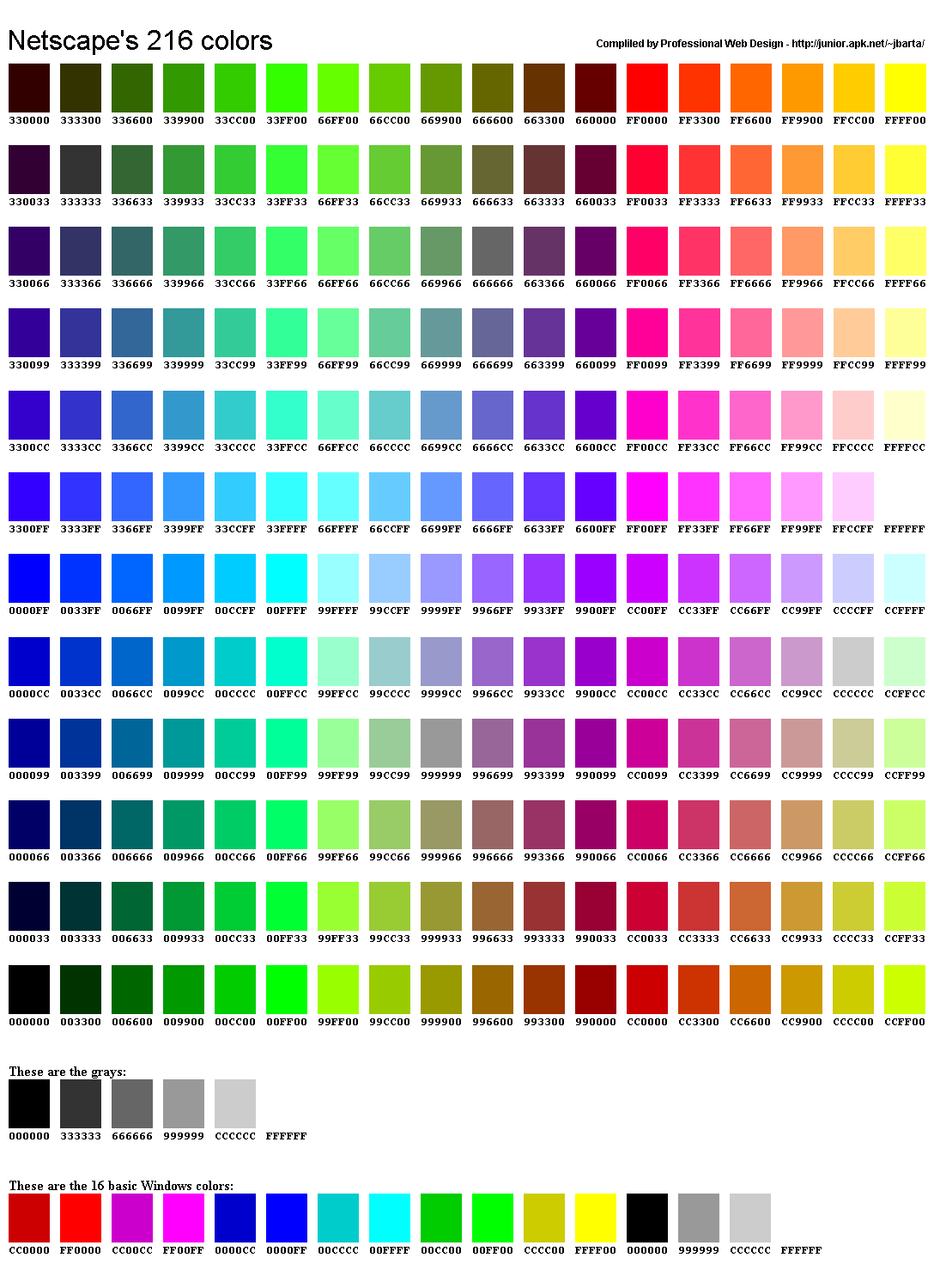
i have found the codes for all the colours online:

PROBLEMS TO CONSIDER

OK, LOOKING AT MY OLD SITE THERE ARE A NUMBER OF THINGS I WANT TO CONSIDER IN MY NEW ONE. I FOUND THE SPLASH PAGE TO BE IRRITATING WHEN QUICKLY TRYING TO ACCESS MY SITE, JUST ADDING ANOTHER THING TO GET THROUGH TO SEE THE WORK.

I FOUND THE AESTHETICS OF MY SITE TO CLASH WITH MY WORK. IT WAS VERY COMPLICATED IN ITS DESIGN AND I FELT THIS WAS A LITTLE DISTRACTING FROM MY ACTUAL WORK.

BECAUSE MOST OF THE PAGE WAS BUILT UP FROM IMAGES IT LOADED RELATIVELY SLOWLY, ALSO IT COULD BE QUITE POOR QUALITY ON SOME COMPUTERS.

THE PAGE WAS MADE UP OF LAYERS, BECAUSE OF THIS I COULDN'T CONVERT IT TO TABLES, AND IT'S LOCATION ON THE PAGE WASN'T CONSTANT.

ALSO, I NEED TO FIND A NEW LOCATION TO STORE MY FILES ON THE WEB, AS MY PREVIOUS ONE STARTED SHOWING ADVERTS.

WEB DESIGN 2

WEB DESIGN 2 BEGINS TODAY!

I AM GOING FOR A CLEANER WEBSITE THAN LAST TIME, SOMETHING EASY TO LOOK AT AND NAVIGATE, GETTING RID OF ALL THE ANNOYING QUIRKS I USED IN MY LAST ONE.